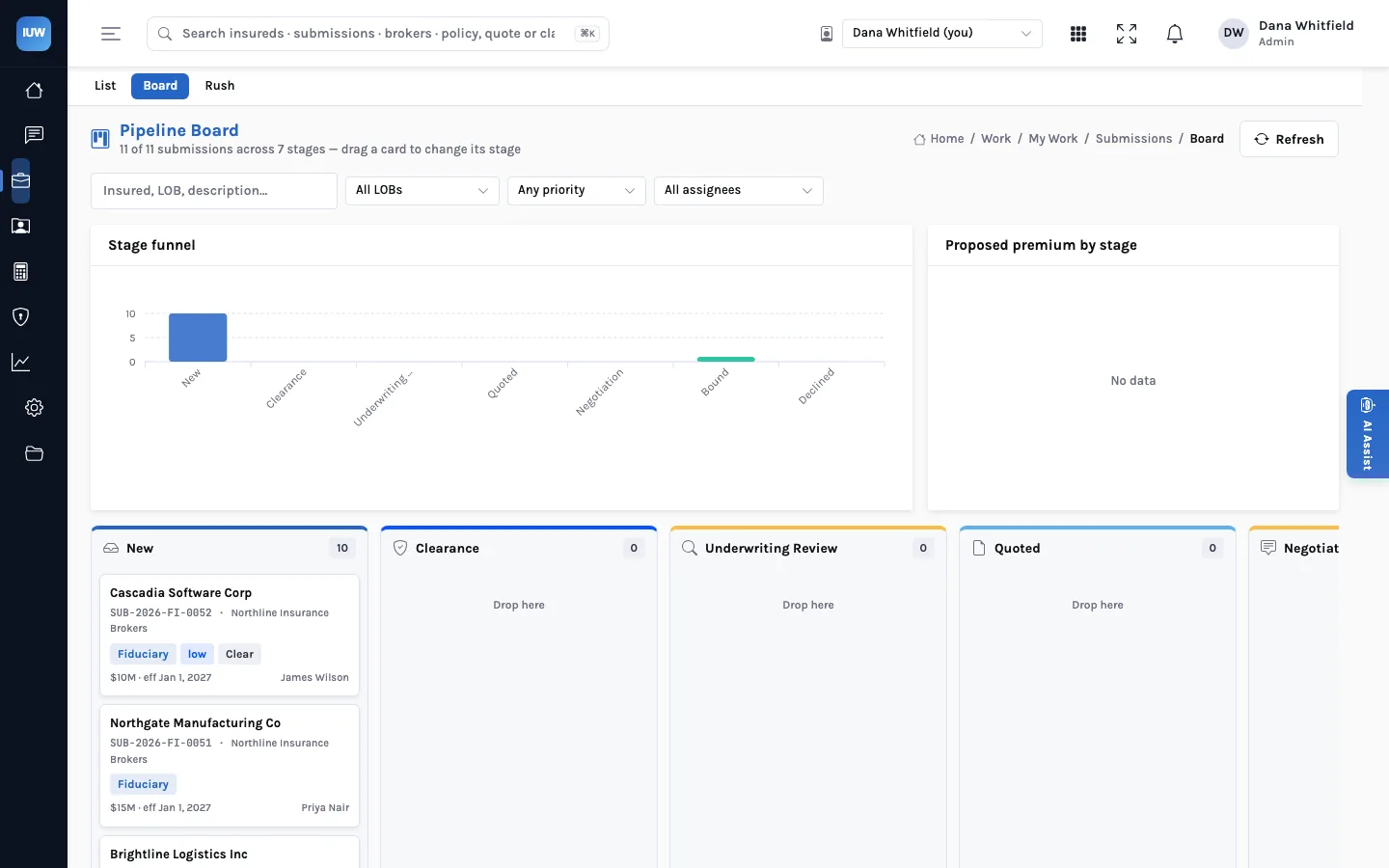
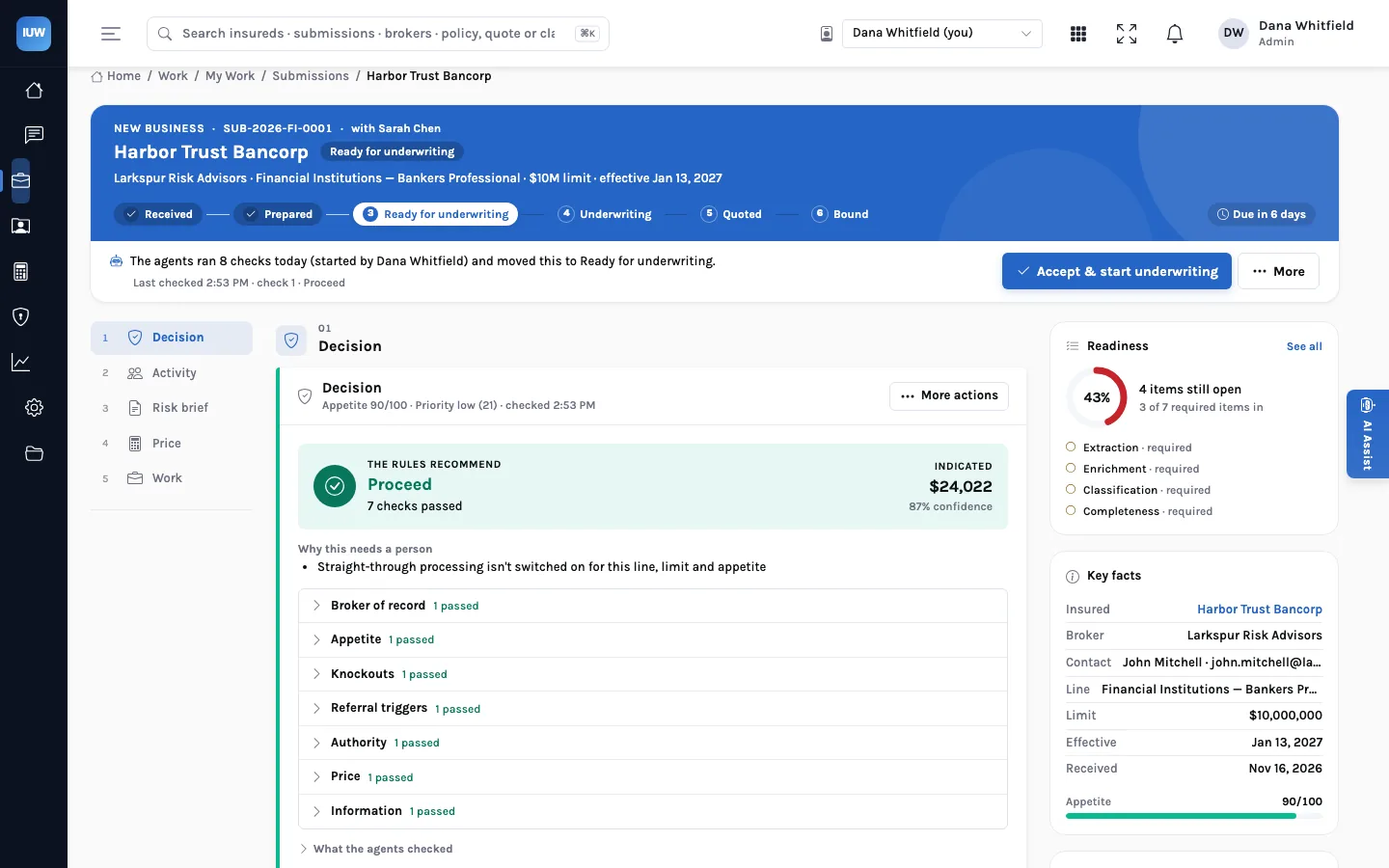
Underwriting authority usually lives in a letter, a spreadsheet and people's memories, and gets checked when someone remembers to. In InsightUW it is data: each underwriter's grant by line, with limits, and the Analyze pipeline checks every submission against the grant of the person it is assigned to.
In short
- Authority is a list of grants per person: which lines they may quote, up to which limit and premium, with any loss ratio condition.
- Changes are approved: a change is sent as a request and takes effect only once someone other than the requester approves it.
- The authority checkpoint fires when a referral rule fires or a submission is beyond the assignee's grant.
- The manager answers a prepared referral: approve, change (for example reassign) or decline, from Home or the Referral Queue.
The situation
Tom's team at Harborline Specialty
Tom (fictional) manages six underwriters writing crime, fiduciary, EPL and financial institutions business for the fictional Harborline Specialty. New staff joined this quarter; one of them, James, writes fiduciary for the first time next month. Tom wants the system, not his inbox, to catch anything beyond each person's authority.
1. Who may quote what
The Authority page (under People & Teams) shows grants waiting for approval, the number of people, active grants and those starting later. Below, Who may quote what lists each person with their largest limit and, for each line, what they may quote: up to which limit and premium, and any loss ratio ceiling. A person who can't sign in, or has referrals skipped, is marked.
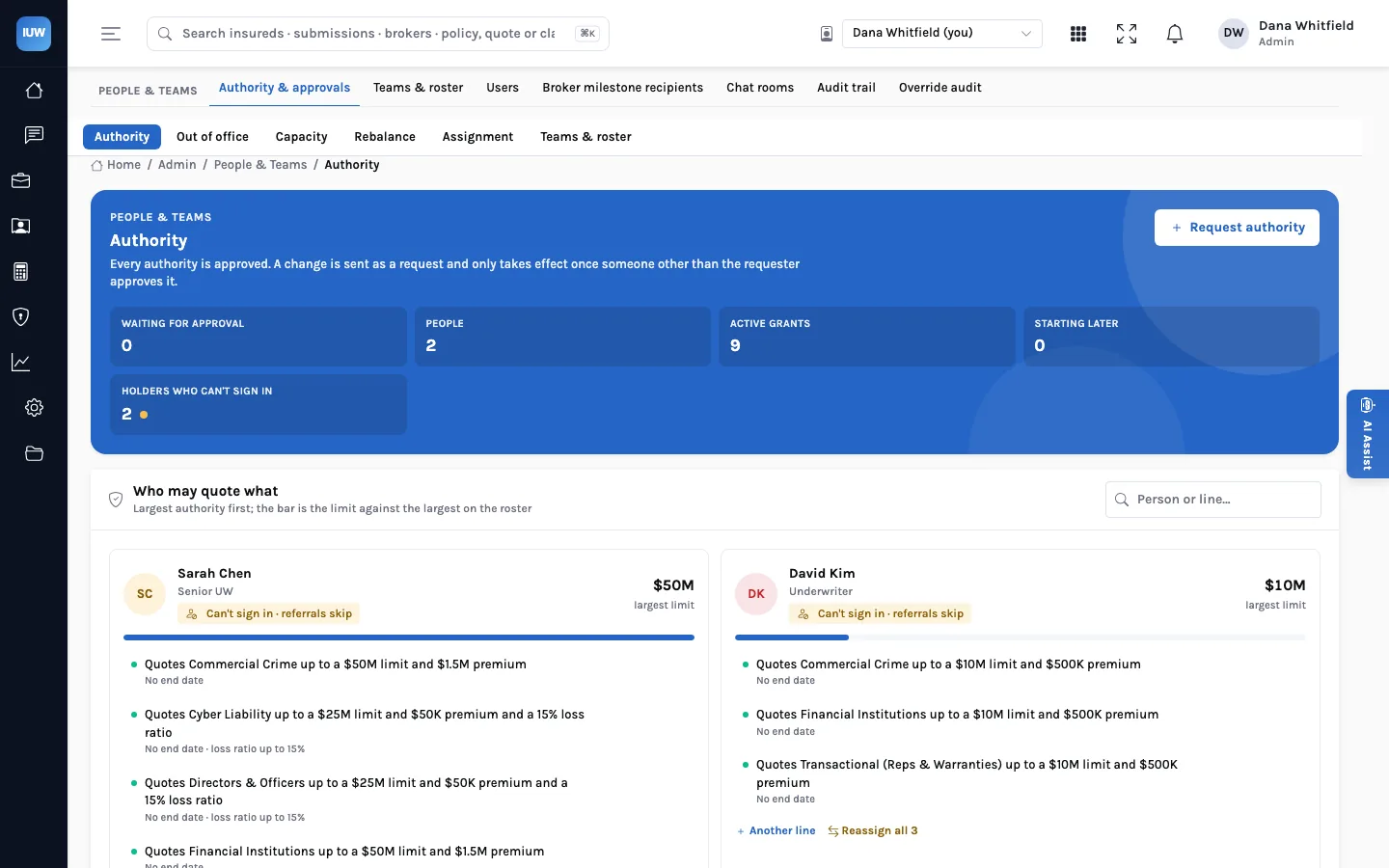
Tom requests a fiduciary grant for James starting next month. Because every change is approved by someone other than the requester, the grant shows as waiting until his head of underwriting approves it. Grants can be dated to start later, which is how the new joiner's authority is set up in advance.
2. A submission beyond the grant
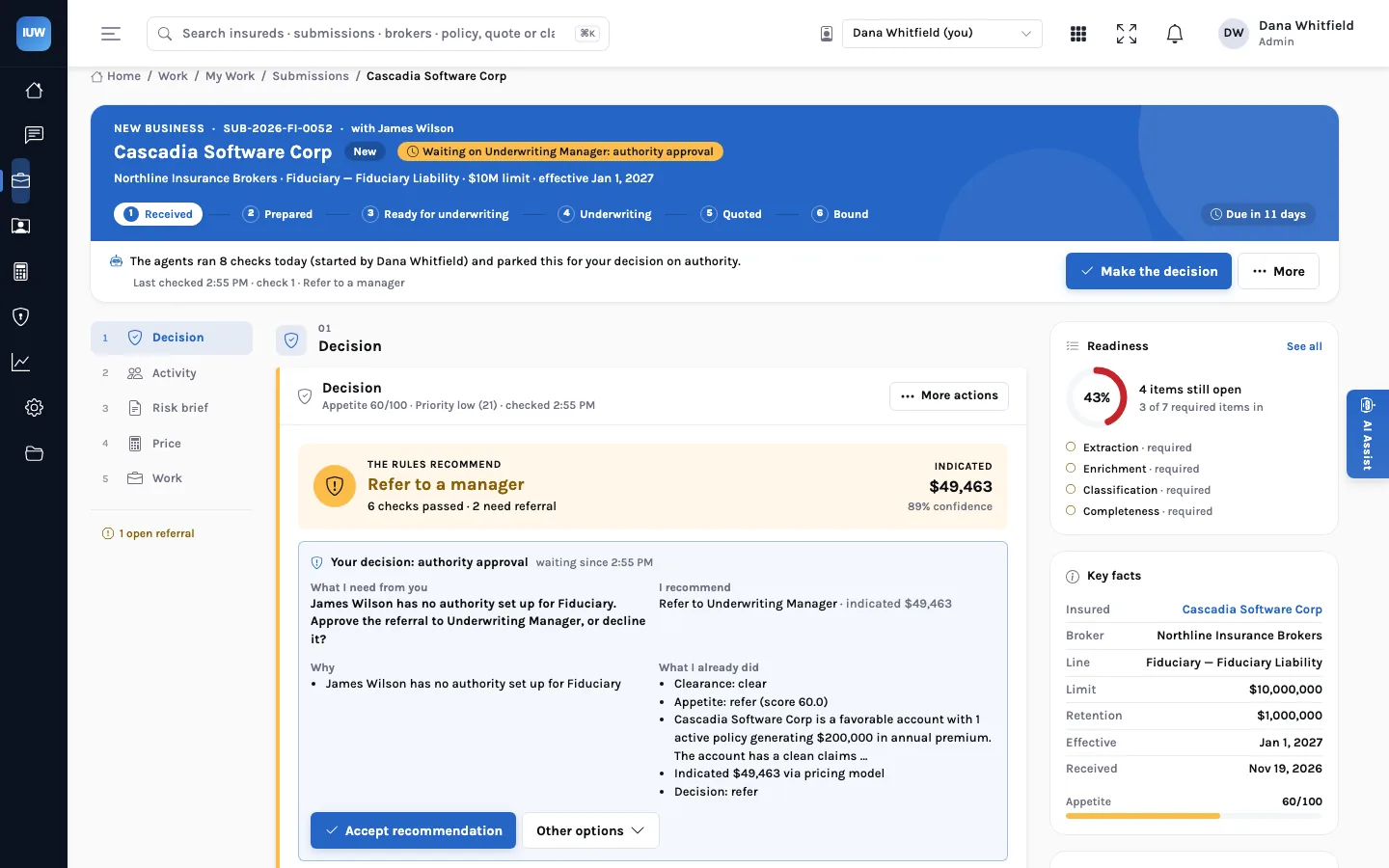
Before James's grant starts, a fiduciary submission is routed to him. Analyze runs; clearance is clear, appetite says refer, and the authority check finds James has no fiduciary authority. The gate parks the submission: Waiting on Underwriting Manager: authority approval.
3. Answering it
The referral shows on Tom's Home under What needs me and in the Referral Queue, with the reason, the referring underwriter, the authority limit against the requested limit, and its status. Tom has three reasonable answers:
- Approve the referral and let James quote under Tom's authority.
- Change it: reassign the submission to an underwriter who holds fiduciary authority.
- Decline the risk, which, like every decline, a person confirms.
He reassigns it. The answer is recorded against the referral agent's recommendation, and the submission moves on with its new assignee.
When James's grant is approved and its start date arrives, the same kind of submission passes the authority check and goes straight to him. Nobody had to remember to change a routing spreadsheet.
4. Looking back
Under Queues & Compliance, managers see override audit, held workflows and declines; the Referral Queue has tabs for the manager queue, overrides and authority exceptions. When an auditor or a delegated authority review asks how a risk beyond someone's grant was written, the answer is a record, not a recollection.
| Question | Where the answer is |
|---|---|
| Who may quote fiduciary, up to what? | Authority, Who may quote what |
| Which grants are waiting for approval? | Authority, Waiting for approval |
| What is waiting on me? | Home, What needs me; the Referral Queue |
| Who approved this referral, and why? | The submission's Activity and the referral record |
| Which overrides did my team make? | Override audit |
How a grant behaves
A few rules about grants explain most of what Tom sees on the Authority page:
- A request changes nothing until it is approved. Creating, changing, reassigning or retiring a grant is a request with a reason; the rules keep reading the old grant until someone else approves it. A rejection records who rejected it and why, and writes nothing.
- Nobody approves their own request, and nobody approves authority for themselves.
- One change at a time. A grant with a change already waiting can't take a second request until the first is decided.
- Dates are honoured. A grant applies from its start date to its end date. Two grants for the same person, line and role can't overlap; the earlier one is closed first.
- The line's own grant wins. A person can hold an every-line grant and a line-specific one; for that line, the specific one applies.
- No grant means refer. A submission routed to someone with no authority for its line is a referral, which is what happened to James.
When Tom is away
Referrals are addressed to the team manager, but managers take holidays. Under People & Teams, Out of office lets Tom name a delegate while he is away, and referrals follow the delegate until he is back. If the delegate is also away and has named someone, the referral follows that chain for up to three hops, never in a circle. The referral records who it was meant for and who covered it.
After the answer
Suppose Tom had approved the referral instead of reassigning it. If the broker later sends a corrected application and Analyze runs again, the submission isn't parked on the same question, as long as the limit and indicated premium still sit within Tom's own grant. If the broker asks for a higher limit that takes it past Tom's grant, the authority checkpoint fires again, this time for whoever holds more authority.
A manager's checklist for a new quarter
- 1List who joins, leaves or changes rolemanager
Request each grant change with a start date, so it is ready on the day.
- 2Ask for approval earlymanager
A request waits for someone else; don't leave it to the morning it is needed.
- 3Set out-of-office covermanager
Name a delegate who holds at least the authority your referrals need.
- 4Review the Referral Queue's exceptions tabmanager
Repeated referrals for the same reason often mean a grant is set too low, or a referral rule too wide.
- 5Read the override auditmanager / compliance
Check that overrides by your team carry reasons a reviewer would accept.
Rules for referrals, too
Besides authority grants, referral rules (for example a hazard class or a loss ratio above a threshold) can force a referral whatever the underwriter's grant. They are managed in Rules Studio, covered in turning guidelines into rules.
Questions buyers ask
Can we load our existing authority letters?
Grants are entered per person and line, with limit, premium, loss ratio ceiling and dates, through the same request and approval flow. Each grant then reads as one sentence, for example may quote Directors & Officers up to a $10M limit and $500K premium (a made-up grant).
Who may request a change?
Team leads and managers request changes; an administrator other than the requester approves them. Anyone signed in can read the Authority page and see who may quote what.
Does a reassigned submission lose its history?
No. The reassignment is recorded on the submission and against the referral agent's recommendation, with who made it and when.
Screens show a local InsightUW workspace with made-up insureds, brokers and underwriters. Nothing here is a statement about any real company's risk.